How to Install Geyser and Floodgate
Your step by step way of installing Geyser and Floodgate
Introduction
First some important notes regarding this.
- With Geyser alone, a Bedrock player must have a valid, paid Java Edition account to authenticate and join.
- With Geyser + Floodgate, Bedrock players can join without a Java account. This is required for console players (Xbox, PlayStation, Switch) and is ideal for easier access.
Versions
You can use Geyser-Spigot on servers that run on 1.16.5 or above. Do note that Geyser requires Java 17 to run!
chat signing
In order for Bedrock players to chat (1.19.3+) or join (1.19.1/1.19.2), you need to disable chat signing.
Vanilla, Spigot/Paper/forks, Fabric, NeoForge
BungeeCord and forks
Velocity
Viaversion
Due to Bedrock automatically updating clients, Via Version is heavily recommended.
If this is not used. Bedrock users with a later version than the server won't be able to connect. Updating a plugin is also easier than the whole server.
Installing on a Server(Spigot/Paper)
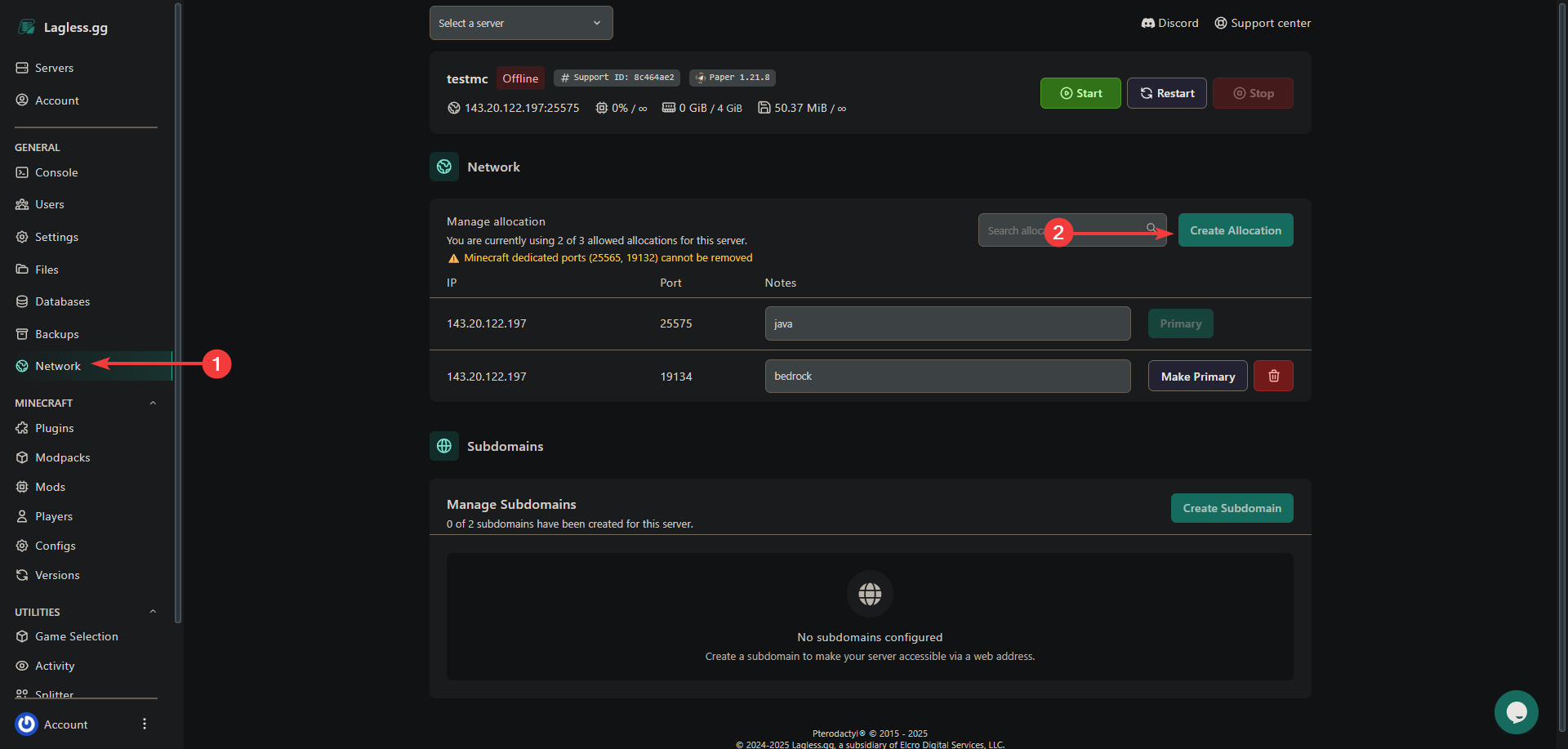
Login to your game panel and navigate to the Network tab. Check your list of allocations.
Your server is already using an assigned port. We can use this. You need to find one additional port for Bedrock players.
If you do HAVE dedicated ports (25565, 19132) you can move to the next step.
If you do NOT have dedicated ports, Find one free port in your allocation list for Bedrock players. If none are free, click Create Allocation to add a new port. Remember this port number.
Navigate to the Templates tab on the left.
Select GeyserMC
Make sure Include Floodgate is selected. (it's enabled by default)
Select GeyserMC Type by default this is spigot and works on all forks.
Select the Bedrock Port you assigned earlier from the list.
Press Install and click Okay on the new window that appears.
Go to the files tab and to this file /plugins/Geyser-Spigot/config.yml and change your java port if it's not 25565. We selected the bedrock port before.
Installing on a Server(Spigot/Paper) manually.
Download Geyser and Floodgate Pay attention to which version you download. Typically you want the Spigot/Paper version.
Navigate to the Files tab and go to the plugin folder. From here, drag the plugins you just downloaded onto the panel. You can also upload via SFTP
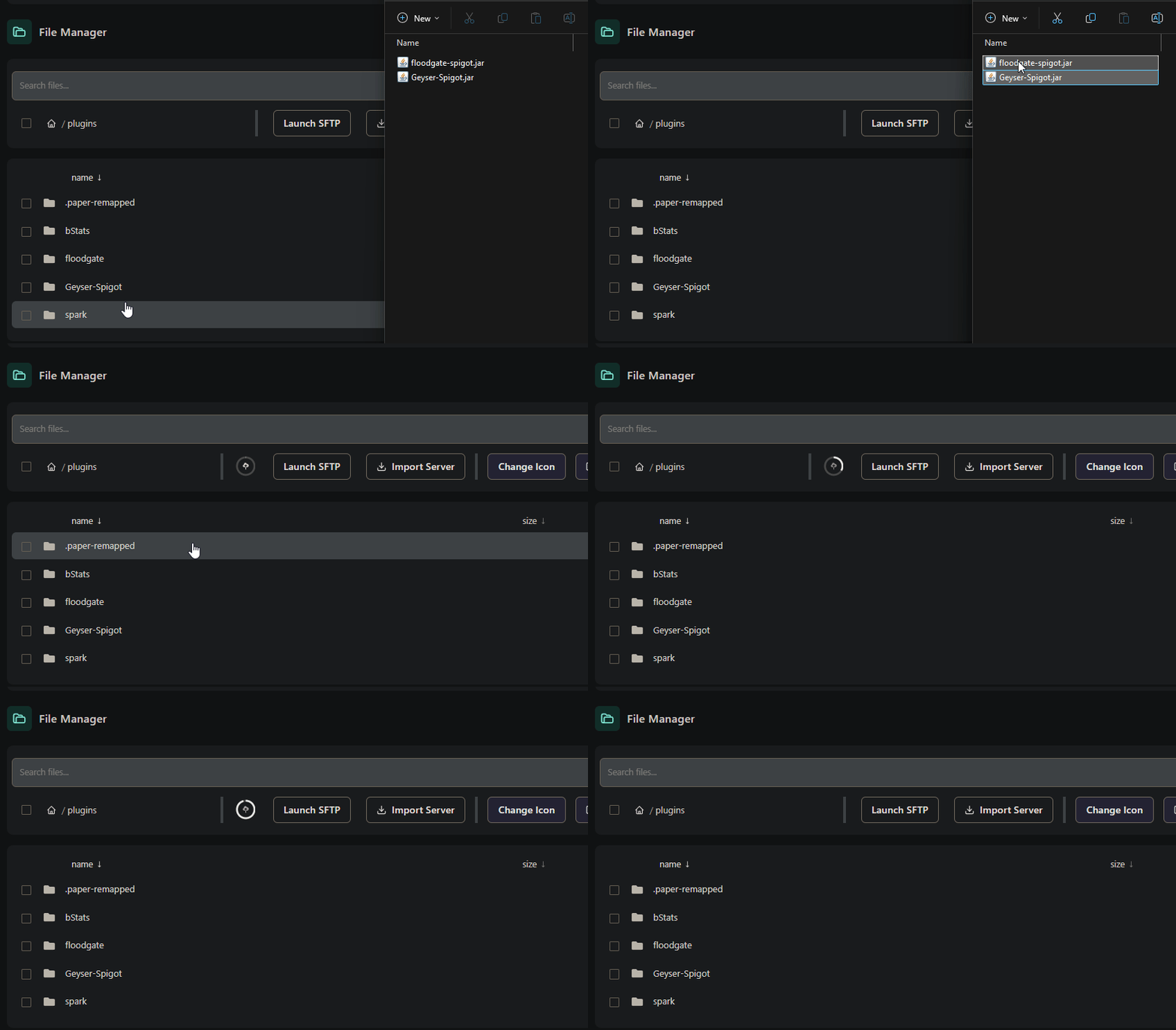
wait for the upload to complete.
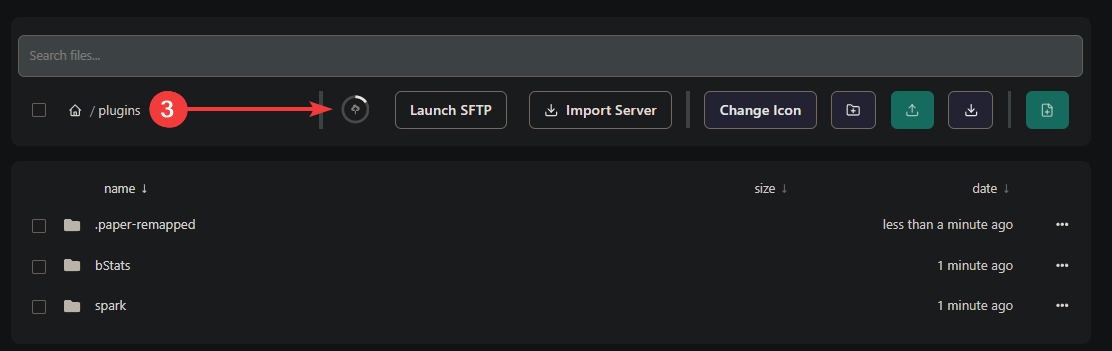
Restart the server.
Then go to this file /plugins/Geyser-Spigot/config.yml and change your bedrock and java port if it's different from default.
Installing on a Proxy(Velocity)
Login to your game panel and navigate to the Network tab
Your proxy is already using an assigned port. We can use this. You need to find one additional port for Bedrock players.
If you do HAVE dedicated ports (25565, 19132) you can move to the next step. If you do NOT have dedicated ports, Find one free port in your allocation list for Bedrock players. If none are free, click Create Allocation to add a new port. Remember this port number.
Navigate to the Templates tab on the left.
Select GeyserMC
Make sure Include Floodgate is selected. (it's enabled by default)
Select GeyserMC Type by default this is spigot, change this to velocity.
Select the Bedrock Port you assigned earlier from the list.
Press Install and click Okay on the new window that appears.
Go to the files tab and to this file /plugins/Geyser-velocity/config.yml and change your java port if it's not 25565. We selected the bedrock port before.
Installing on a Proxy(Velocity) manually
Download Geyser and Floodgate Pay attention to which version you download. Typically you want the Velocity version.
Navigate to the Files tab and go to the plugin folder. From here, drag the plugins you just downloaded onto the panel. You can also upload via SFTP
wait for the upload to complete.
Restart the server.
Then go to this file /plugins/Geyser-Velocity/config.yml and change your bedrock and java port if it's different from default.
Install Geyser only on the proxy server! You can install Floodgate on all servers for better skin support & network-wide Floodgate API availability for other plugins. All servers on the network must accept 1.21.7-1.21.8 Java clients, as Geyser imitates one.