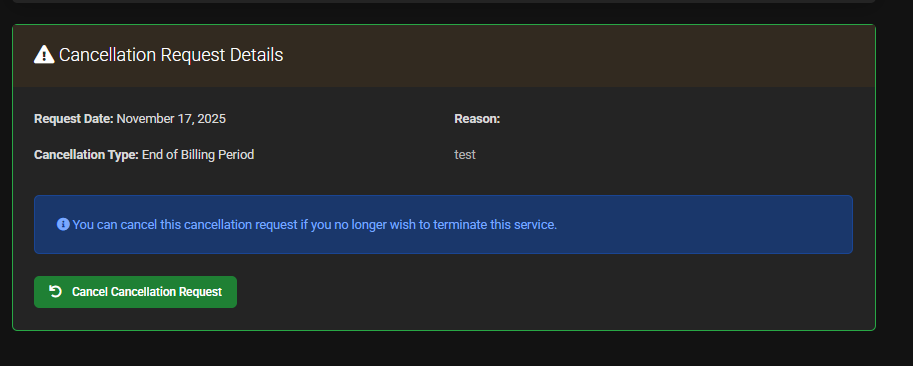
Request Cancellation
This is how you cancel a service with us.
Cancellation
Go to our website **https://lagless.gg/ ** and log in to the Client Area
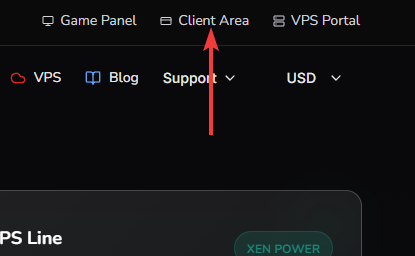
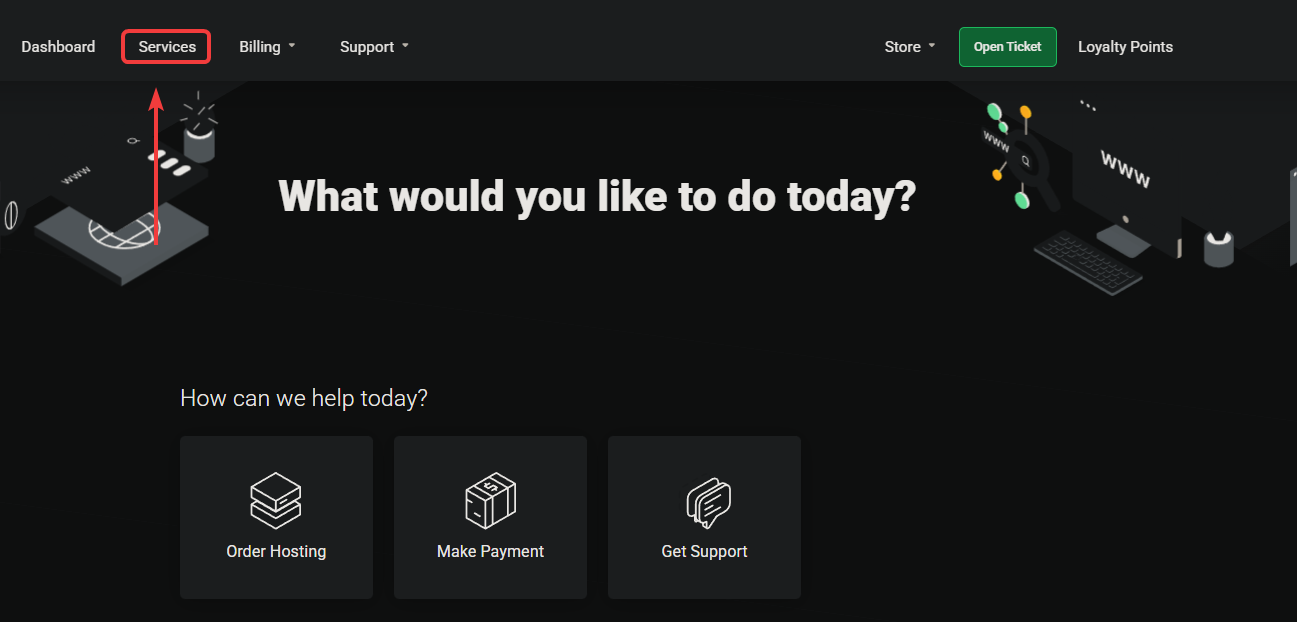
Click on Services
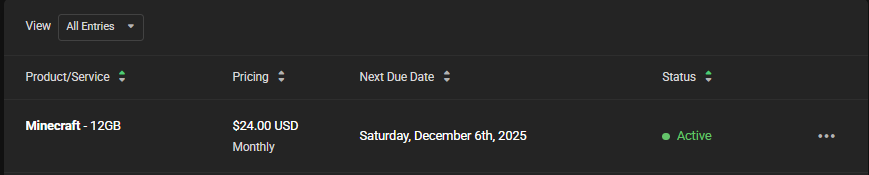
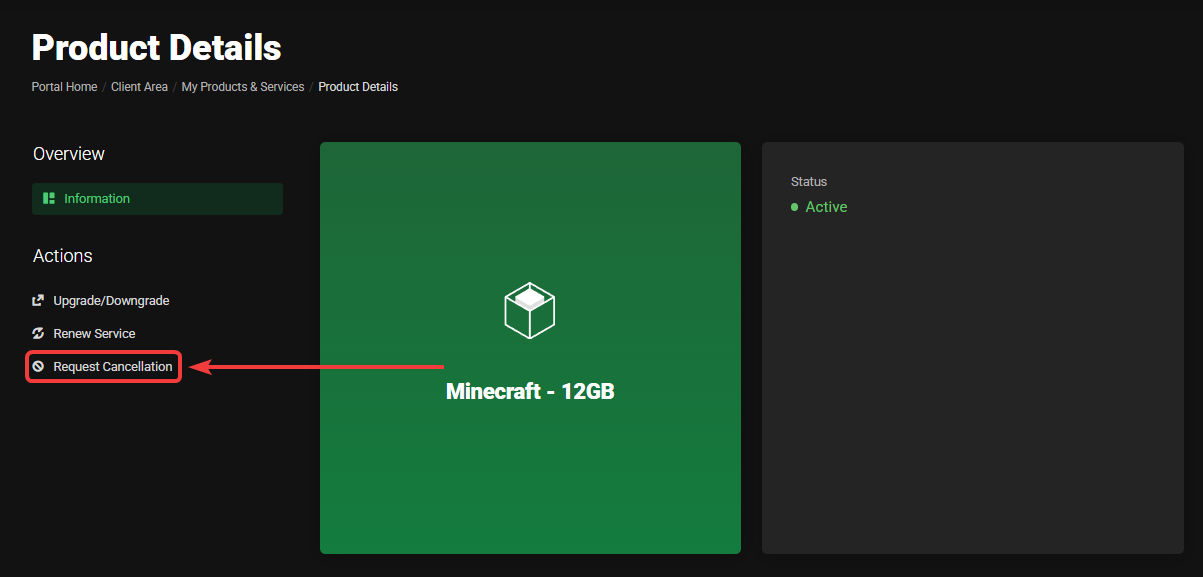
Click on the service you want to cancel, for example, the Minecraft service in the image below.
Click on Request Cancellation on the left.
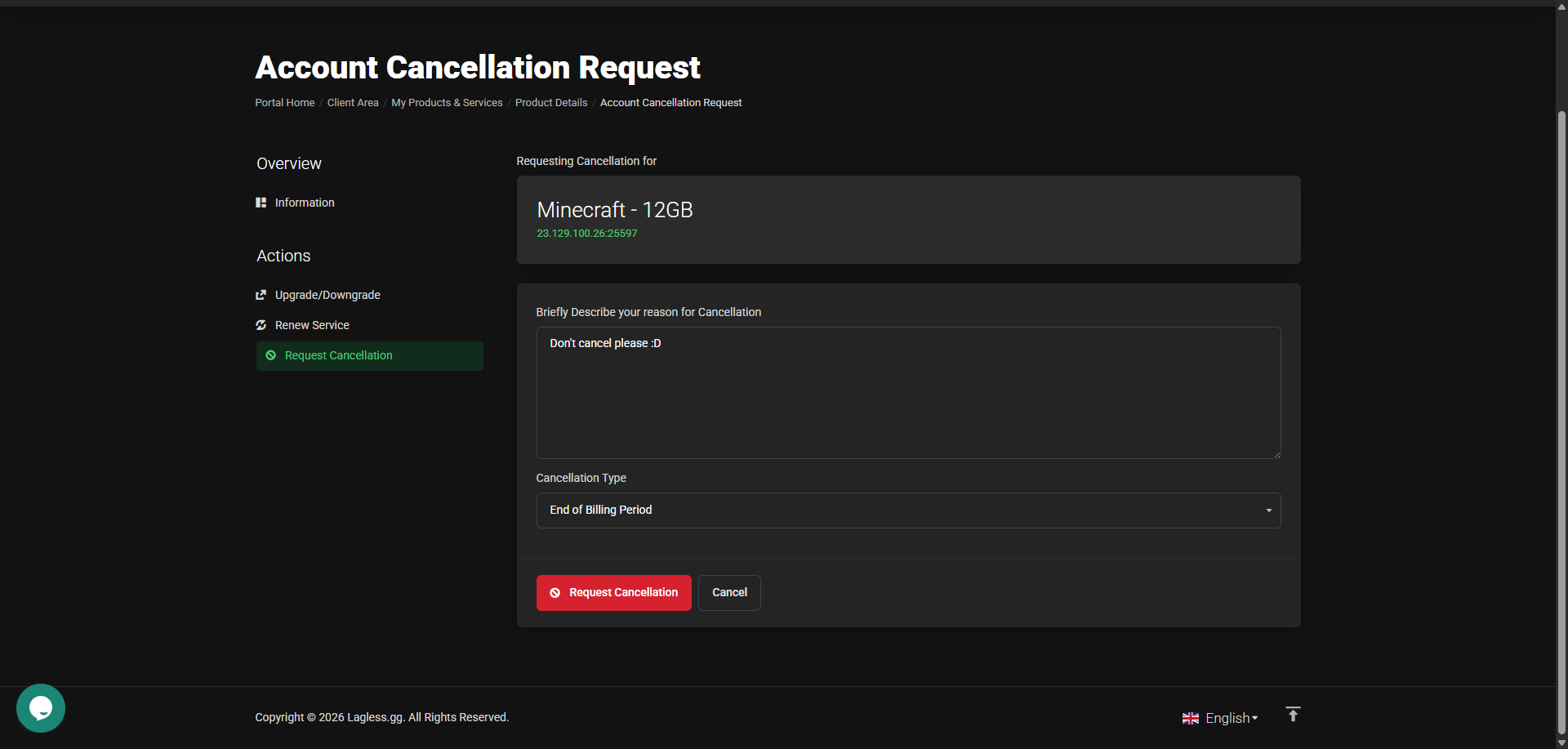
Fill in why you want to cancel and when, end of billing or immediate. When you click on the red Request cancellation button it's marked for cancellation.
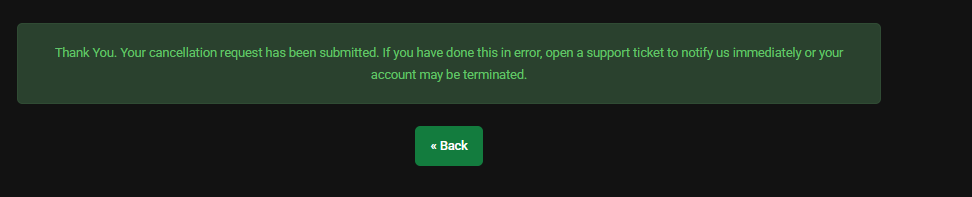
You will receive feedback about your cancellation.
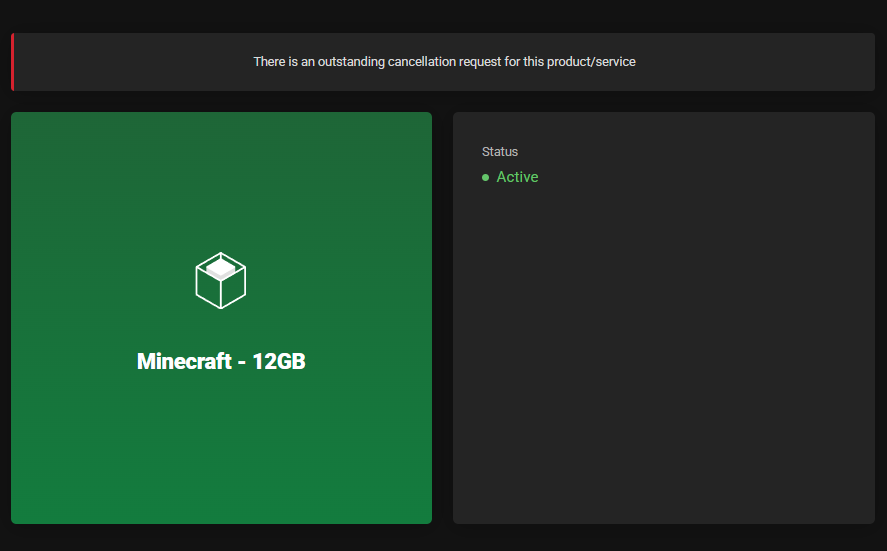
When you go back to your service, you will see an outstanding cancellation.
Didn't mean to cancel? you can still Cancel Cancellation Request by scrolling down the service you want to Cancel Cancellation Request