Schedules
This is how you set up a schedule
Schedule
- Go to our website and login to the "Game Panel"
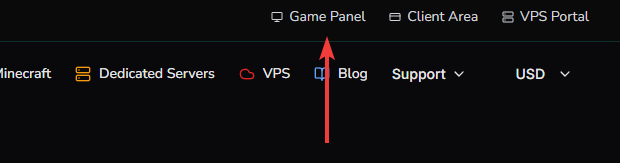
Once logged in.
- Click on "Manage server"
- Click on "Settings"
- Scroll down till you get to the "Schedules" section.
- Press "Create schedule"
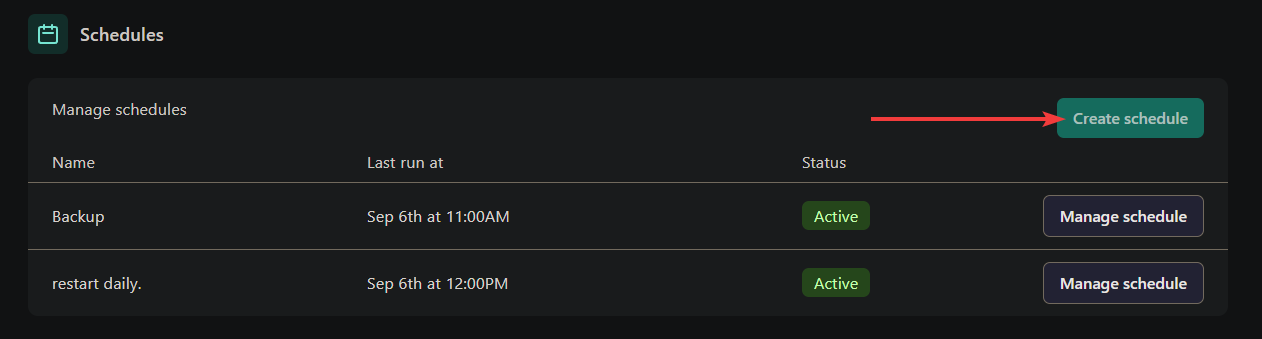
- Set a name
- set the desired time. For example
0 12 * * *This executes the schedule every day at 12:00 - press Create Schedule.
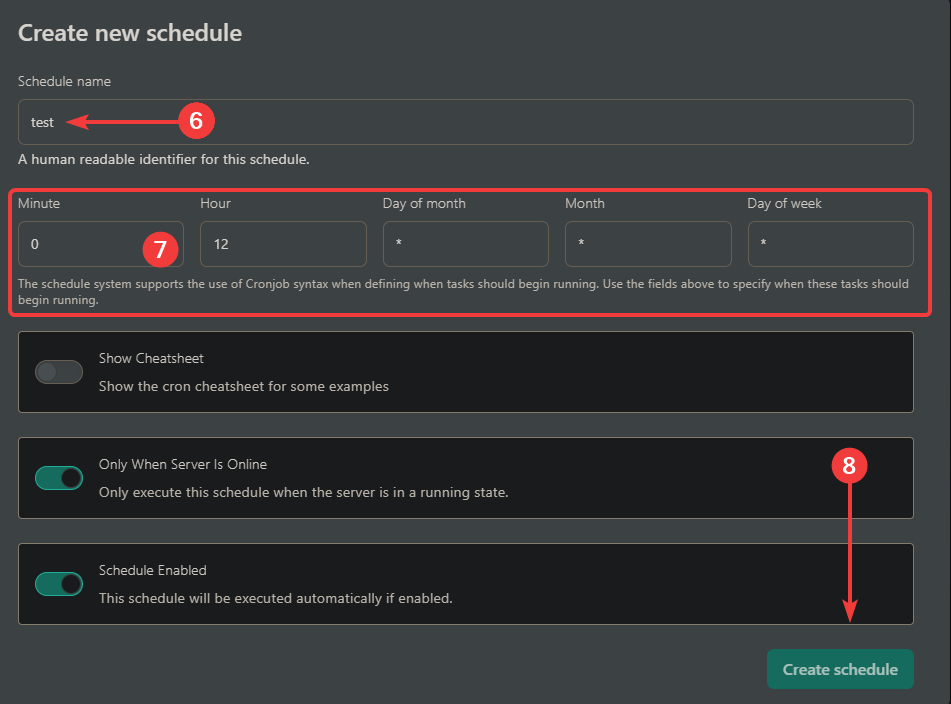
- click on "Manage schedule" on the newly created schedule.
- Click on "New Task"
- You have the options to "Send command", "Send power action" or "Create backup".
Example
To restart your server every day at 12.
Create a schedule. Set the time to minute 0, hour 12, Day of month *, Month *, Day of week *
Create a task for this schedule and set the action to "send power action" and choose payload "Restart the server".
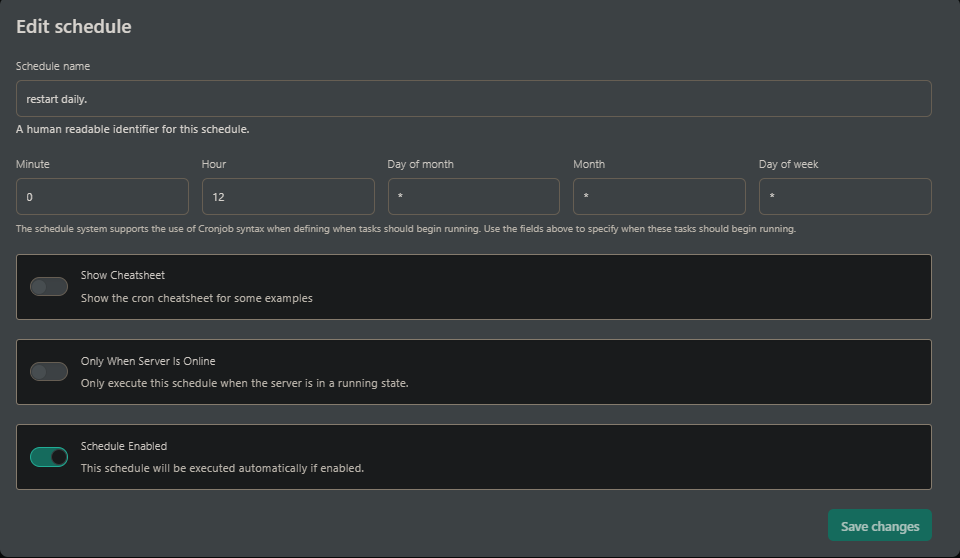
You can use all of these tasks in a single schedule. But Time offset may be required to delay each task.